
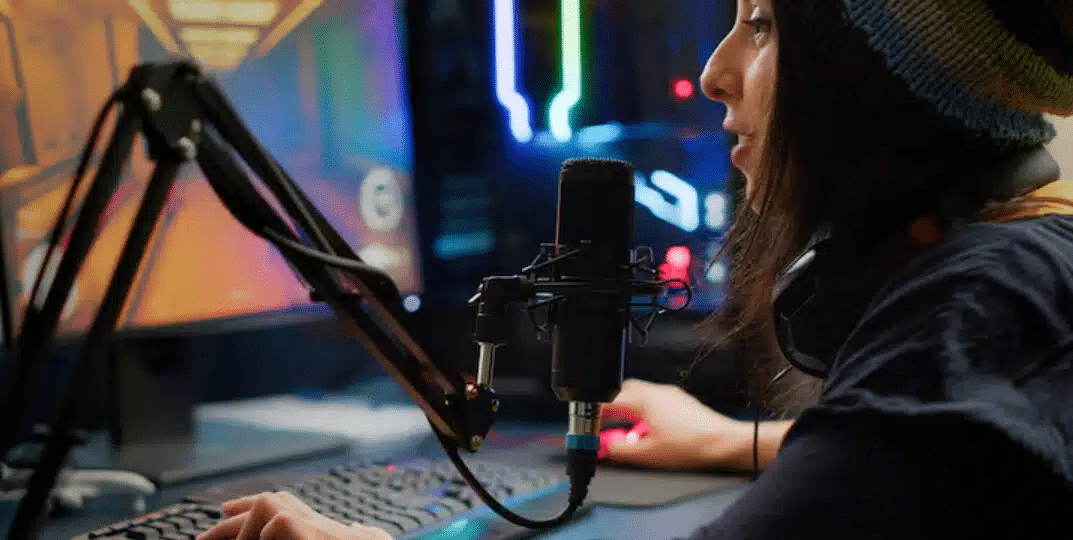
Clear audio plays an important role in modern gaming. Whether someone is playing casually with friends, competing in online matches, or streaming to an audience, a reliable microphone helps make communication easier and more enjoyable. Poor voice quality, background noise, and unclear speech can affect teamwork and make it harder for others to follow what is being said. This is why choosing the right gaming microphone is an important part of building a comfortable gaming setup.
Gaming microphones are designed to capture voices clearly while reducing unwanted sounds from the surrounding environment. Brands such as Razer gaming microphone offer options for different gaming needs, from simple voice communication to more advanced streaming setups. Understanding how these devices work, what features matter, and how they connect to gaming systems can help players choose a microphone that suits their preferences.
Contents
- Understanding How Gaming Microphones Work
- Features That Make a Difference During Gameplay
- Choosing Between USB and XLR Connections
- Why Build Quality and Design Matter
- Getting Better Audio for Gaming and Streaming
- Using Software to Personalise Microphone Settings
- Finding a Microphone That Fits Your Budget
- What the Future Holds for Gaming Microphones
- Making the Most of Your Gaming Audio Setup
Understanding How Gaming Microphones Work
A gaming microphone may look like a simple device, but several components work together to capture and process sound. One of its main parts is the diaphragm, which responds to sound waves created by a person’s voice. These movements are converted into electrical signals that can be processed and sent to a computer or another connected device.
The microphone capsule is responsible for converting sound into an audio signal, while other internal components help prepare that signal for transmission. Some models also include built-in controls and processing features that allow users to adjust their audio without relying on additional equipment.
Microphones also use different pickup patterns to determine which sounds they capture. A cardioid pattern focuses mainly on sound coming from the front, making it useful for gaming desks where the microphone is positioned in front of the player. Omnidirectional microphones capture sound from multiple directions, while bidirectional models pick up sound from the front and rear. Choosing the right pattern can help users avoid unnecessary background noise and get clearer voice recordings.
Features That Make a Difference During Gameplay
Not every microphone offers the same performance. Some features are particularly useful for gaming because they help maintain clear communication in different environments. Noise reduction is one of the most important. Keyboards, computer fans, conversations, and other household sounds can interfere with voice communication. A microphone with effective noise-handling capabilities can reduce these distractions and help teammates hear instructions more clearly.
Microphone sensitivity is another feature worth considering. It determines how easily the device picks up sound. If the sensitivity is too high, it may capture unwanted noises from the room. If it is too low, the user’s voice may sound faint. Adjustable sensitivity or gain controls make it easier to find a suitable setting.
Frequency response also affects how a voice sounds through a microphone. A microphone with a suitable frequency range can reproduce speech naturally and clearly. However, a wider frequency range does not automatically mean better performance. The overall quality of the microphone, its design, and its ability to handle surrounding noise are equally important.
Choosing Between USB and XLR Connections
Connection type is another factor to consider when buying a gaming microphone. USB models are popular because they are easy to set up. Users can usually connect them directly to a compatible computer without purchasing additional audio equipment. Many USB microphones also include built-in audio processing, making them practical for players who want a straightforward setup.
This type of microphone is suitable for casual gaming, online meetings, voice chats, and beginner streaming. It also works well for users who frequently move their equipment or prefer not to deal with complicated audio connections.
XLR microphones are generally designed for more advanced audio setups. They connect to an audio interface or mixer rather than directly to a standard USB port. This gives users more control over microphone levels and other sound adjustments. Streamers, podcasters, and esports commentators may prefer this option when they need greater flexibility.
The right choice depends on how much control a user needs. A USB microphone is often enough for everyday gaming, while an XLR setup may be worth considering for people who want to build a more professional recording environment.
Why Build Quality and Design Matter
A gaming microphone should be reliable enough to handle regular use. Since many players spend several hours at their desks, the microphone’s construction and overall design can affect its long-term convenience. Durable materials, stable bases, and well-made adjustment mechanisms help prevent unnecessary movement or damage.
Positioning is also important. A microphone that sits too far away may struggle to capture the user’s voice clearly, while one placed directly in front of the mouth can become distracting. Adjustable stands and microphone arms make it easier to find a comfortable position without blocking the screen.
Some models include convenient features such as touch-sensitive mute controls and LED indicators. These allow users to check whether their microphone is active without opening software or searching through menus. Such small details can be especially useful during live matches and streaming sessions.
Getting Better Audio for Gaming and Streaming
For streamers, microphone quality can influence how viewers experience their content. Clear commentary makes gameplay easier to follow and helps create a more engaging connection with an audience. Even when the video quality is good, poor audio can make a stream difficult to watch.
Features such as real-time monitoring allow users to hear their own microphone output and identify problems before they become noticeable to viewers. Gain controls help maintain a consistent volume, while equaliser settings can adjust the balance of different sound frequencies.
Microphone placement also makes a difference. Keeping the device at a suitable distance and speaking towards its active pickup area can improve voice clarity. Users should also test their audio levels before going live to avoid sound that is too quiet, distorted, or affected by background noise.
Using Software to Personalise Microphone Settings
Many modern gaming microphones work with companion software that provides additional control over audio settings. Depending on the model, users may be able to adjust equaliser levels, noise reduction, microphone sensitivity and other sound preferences.
These tools can help players create settings that suit different activities. A voice profile used for team communication may not be ideal for recording videos or hosting a livestream. Having access to adjustable settings makes it easier to switch between these uses without changing the entire setup.
Software compatibility is also worth checking before purchasing. Some features may only be available on certain operating systems or supported devices. Console players should confirm that the microphone and its software features work with their chosen platform.
Finding a Microphone That Fits Your Budget
Gaming microphones are available at different prices, so buyers do not always need to choose the most expensive model to get useful performance. Entry-level options can provide reliable voice communication for casual players who mainly use voice chat.
Mid-range microphones often include better construction, more adjustment options, and additional audio features. They can be a good choice for regular gamers who also participate in online meetings or occasional streaming.
Higher-priced models may offer more advanced controls, improved sound processing and features suited to professional content creation. Before spending more, buyers should consider which features they will actually use. A microphone with many extra functions may not be necessary for someone who only needs clear communication during multiplayer games.

What the Future Holds for Gaming Microphones
Gaming audio technology continues to develop as players expect clearer communication and more convenient equipment. Artificial intelligence and improved digital signal processing are becoming more common in audio products. These technologies can help identify unwanted background sounds and improve voice clarity during use.
Future microphones may also become better at adjusting to different environments automatically. Instead of requiring users to change several settings manually, adaptive audio features could help maintain consistent sound quality as room conditions change.
Customisation is another area that continues to develop. More compact designs, improved controls and software options give gamers greater freedom to create setups that match their needs and personal style.
Making the Most of Your Gaming Audio Setup
A good gaming microphone can improve communication, support content creation and make online sessions more enjoyable. The best choice depends on how often someone plays, the equipment they already own, and the level of audio control they need.
By considering sound quality, pickup patterns, connection types, build quality and software support, gamers can find a microphone that works well with their setup. With continued improvements from brands such as Razer and other audio manufacturers, gaming microphones are becoming more practical and adaptable for casual players, competitive gamers and streamers alike.