
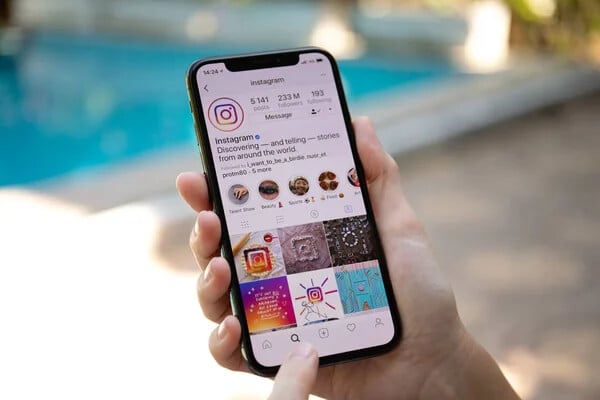
Want to watch someone’s Instagram Story but don’t have an account? Maybe you deleted Instagram, prefer not to sign up, or simply want to check public content without logging in.
Instagram normally requires users to sign in to watch Stories. However, several third-party websites offer ways to access publicly available Instagram content without creating an account.
These tools generally work by searching for public Instagram usernames. Some also provide access to Highlights, photos, and videos.
In this guide, we’ll explain how to view Instagram Stories without an account, introduce seven online tools, and share practical methods for accessing public content safely.
Contents
- Can You View Instagram Stories Without an Account?
- How to View Instagram Stories Without an Account
- 7 Online Tools to View Instagram Stories Without an Account
- Other Methods to Check Instagram Stories Without an Account
- Are Instagram Story Viewer Tools Safe?
- Why Are Instagram Stories Not Showing?
- Conclusion
Can You View Instagram Stories Without an Account?
Yes, some third-party Instagram Story viewers allow users to access Stories from public profiles without logging in.
Instagram Stories are temporary photos and videos that typically disappear after 24 hours. While Instagram’s official platform usually requires an account to watch them, external services may display publicly accessible content.
However, these tools have limitations. They cannot legitimately access private accounts, and expired Stories may be unavailable unless saved as Highlights.
Their functionality can also change when Instagram updates its systems.
How to View Instagram Stories Without an Account
Most online Instagram Story viewers follow a similar process.
Step 1: Find the Instagram Username
Identify the public Instagram profile you want to check.
For example, if the profile URL is instagram.com/exampleuser, the username is exampleuser.
Step 2: Open an Instagram Story Viewer
Choose a browser-based Story viewer. Many services work on smartphones, tablets, and computers without requiring additional applications.
Step 3: Enter the Username
Type the Instagram username or profile URL into the website’s search field.
Step 4: Check Available Stories
Submit your search. If the service supports the profile, available Stories may appear.
Step 5: Watch the Story
Select the content you want to view. Some services also offer download options for publicly available media.
Avoid websites requesting your Instagram password or unnecessary personal information.
7 Online Tools to View Instagram Stories Without an Account
Several websites offer options for viewing public Instagram Stories. Here are seven services worth exploring.
1. MollyGram
MollyGram is a browser-based Instagram viewer designed for accessing publicly available content.
Users can search for public Instagram profiles using usernames or profile links. The service advertises support for Stories, Highlights, Reels, and other media.
Its browser-based interface means visitors generally don’t need to install additional software.
2. StoriesIG
StoriesIG is another tool associated with viewing public Instagram Stories without logging in.
Users can search for profiles and check available content through a web browser.
Depending on the website’s current features, additional options may include viewing Highlights, photos, and videos.
Since multiple websites use similar names, checking the correct domain is important.
StoryNavigation provides a browser-based approach to checking public Instagram Stories.
Using an online service such as StoryNavigation may help users access publicly available content without creating an Instagram account.
The general process involves entering a username, searching for the profile, and checking available Stories.
Content availability depends on the account’s privacy settings and the service’s current functionality.
4. Inflact
Inflact offers Instagram-related tools for viewing public content and researching social media profiles.
Unlike basic Story viewers, it also provides broader social media marketing features.
Users interested in public Instagram content can explore its available viewing tools.
However, certain features may have usage restrictions or require payment.
5. MomentSave.app
MomentSave.app is another name associated with browser-based Instagram content viewing and saving.
Users can check whether its current website supports public Story searches without registration.
Before using the service, review its available features and avoid providing unnecessary personal information.
6. StoriesDown
StoriesDown is associated with viewing and downloading publicly available Instagram content.
The service is intended to provide browser-based access to supported media.
Its features and availability may vary, particularly when Instagram changes how external websites access content.
7. MyStorySaver
MyStorySaver provides another option for exploring public Instagram Stories.
Users can visit https://mystorysaver.com/view-stories to check its Instagram Story viewing features.
The service is intended for searching publicly accessible Instagram content through a browser.
As with other viewers, access to private profiles remains restricted.
Other Methods to Check Instagram Stories Without an Account
Third-party viewers are not the only possible approach. Depending on what you’re looking for, these alternatives may help.
Visit Public Instagram Profiles
Try opening a public Instagram profile directly in your browser using instagram.com/username.
Instagram may display limited profile information without requiring login. However, watching active Stories often triggers a sign-in request.
Check Instagram Highlights
Highlights are Stories that account owners choose to keep on their profiles.
Unlike regular Stories, Highlights can remain available beyond 24 hours.
Some external viewers support public Highlights, making them useful when the original Story has expired.
Search Other Websites
Businesses and creators sometimes share the same announcements across multiple platforms.
For example, an event announcement posted on Instagram may also appear on the organiser’s official website.
Searching for the creator or event may help you find similar information elsewhere.
Are Instagram Story Viewer Tools Safe?
Third-party Instagram viewers can be convenient, but safety should come first.
Before using an unfamiliar website, consider these precautions:
- Avoid sharing Instagram passwords or login credentials.
- Check that you’re visiting the intended website.
- Look for HTTPS, although it does not guarantee trustworthiness.
- Avoid suspicious downloads and misleading advertisements.
- Review privacy policies before providing personal information.
Some services advertise anonymous viewing. However, browsing without an Instagram account does not guarantee complete privacy.
Third-party websites may still collect technical information, including IP addresses and browser details.
Why Are Instagram Stories Not Showing?
Sometimes, online viewers fail to display Stories. Several factors may explain the problem.
- Private account: Content from private profiles is restricted to approved followers.
- Expired Story: Most Stories disappear after 24 hours unless saved as Highlights.
- Incorrect username: A spelling mistake can prevent the tool from finding the correct profile.
- Technical problems: External services may temporarily stop working following Instagram updates.
- No active Stories: A public profile may not have any Stories available when you search.
If one viewer fails, checking another reputable service may help determine whether the issue is tool-specific.
Conclusion
Viewing Instagram Stories without an account is possible in certain situations, especially when content comes from public profiles.
Tools such as MollyGram, StoriesIG, StoryNavigation, Inflact, MomentSave.app, StoriesDown, and MyStorySaver provide different options for exploring public Instagram content.
You can also check public profiles, look for Highlights, or search for similar information on other websites.
Before choosing a service, confirm its current functionality, protect your personal information, and respect account privacy settings. These precautions can help you access public Instagram content more safely without creating an account.