
It can be upsetting when your device loses essential data or memories. A lot of people rely on iCloud first, hoping backups will restore data. However, these options depend on what was properly backed up earlier. If backups are incomplete or missing, restoring everything fully becomes quite difficult.
That’s where external recovery tools offer a helpful and more flexible solution. That’s when tools like Dr.Fone data recovery software offer extra recovery guidance. Such programs provide step-by-step help for retrieving lost messages and photos. So, this guide explains how recovery software can go beyond standard restore options.
Contents
- Part 1. Top 5 Data Loss Scenarios for iPhone
- Part 2. iCloud and Finder Restore: What Works Well and What They Can’t Recover
- Part 3. How iPhone Data Recovery Software Goes Beyond Apple Restores
- Part 4. Dr.Fone Review: Best Features for Everyday iPhone Data Recovery
- Part 5. Should You Use Dr.Fone? Decision Guide for iPhone Recovery Needs
- Conclusion
Part 1. Top 5 Data Loss Scenarios for iPhone
Data can be lost due to various reasons, causing stress for many users. Even careful users face sudden loss after simple actions or unnoticed issues. At this point, third-party data recovery software for iPhone provides extra help. Thus, below are a few common scenarios that lead to missing or deleted data:
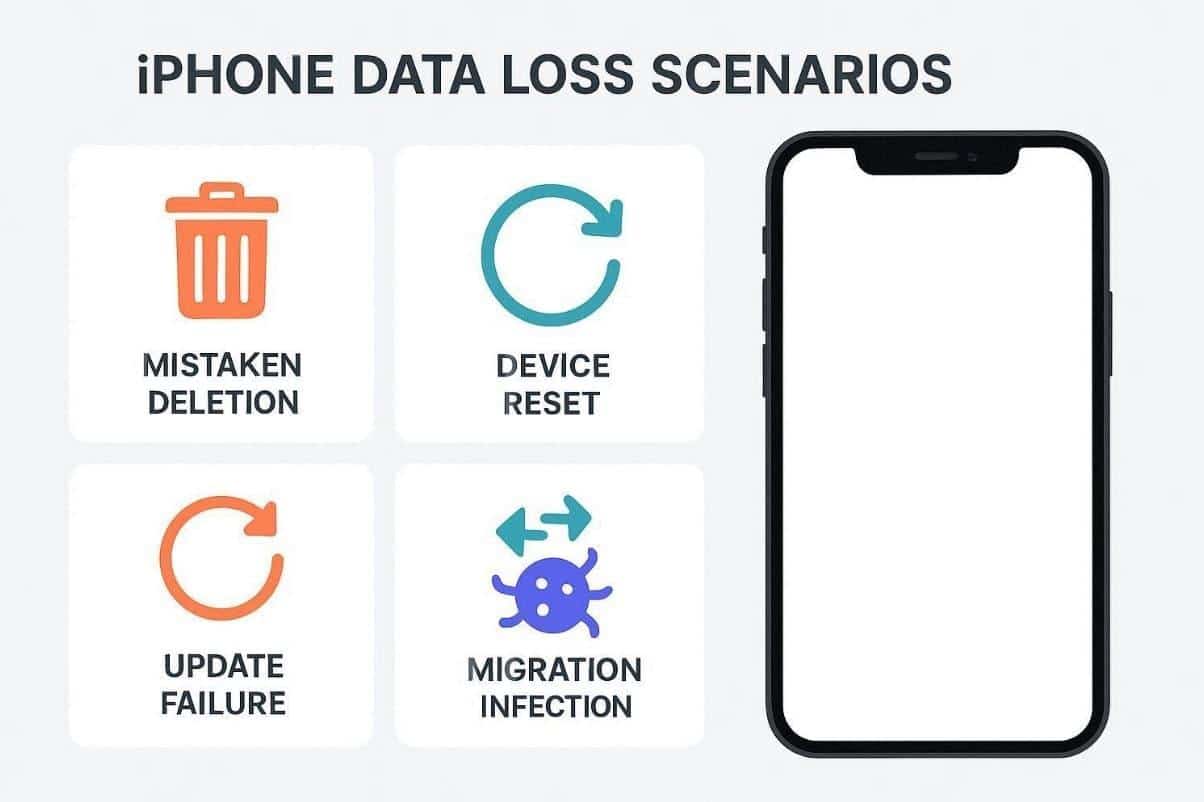
- Mistaken Deletion: Users may delete photos or messages by mistake, losing them. Even recovered backups may not restore everything, making recovery tools essential.
- Device Reset: Factory resets also remove all data, returning phones to original settings. So, users face difficulty restoring apps and data without prior backups.
- Update Failure: Software updates sometimes fail, corrupting data or preventing usage. Critical information may disappear if the update interrupts during file transfers.
- Migration Error: Transferring data between devices can fail, leaving important files inaccessible. Errors occur when connections are unstable or interrupted during migration.
- Virus Infection: Many times, malware or virus attacks can also corrupt data files. Therefore, sensitive data may become unreadable and require recovery software.
Part 2. iCloud and Finder Restore: What Works Well and What They Can’t Recover
Apple’s restore tools, like iCloud and Finder, offer simple methods for basic recovery needs. They work well when backups are complete and updated by users. However, some files may be missing if backups are incomplete or corrupted. That’s when users compare these restore options against trusted iPhone data recovery software. The table below shows what Apple restore options can handle and cannot recover:
Restore Option | Works Well For | Limitations / Cannot Recover |
iCloud Backup | Photos, videos, contacts, app data from recent backup | Files not included in backup, unsynced messages, some app data |
Finder Restore | Full device backups, including settings and apps | Cannot restore partially deleted items or corrupted files |
iCloud Messages | Messages synced via iCloud | Messages not synced or deleted before backup are unrecoverable |
iCloud Drive | Documents, notes, and files saved in iCloud Drive | Local-only files on iPhone remain inaccessible |
App-specific Backup | App data supported by iCloud | Unsupported apps or locally stored data may be lost |
Part 3. How iPhone Data Recovery Software Goes Beyond Apple Restores
Apple restores are useful for recovering data from existing device backups. Nonetheless, they cannot retrieve files that were never backed up or synced. This limitation makes many users turn to specialized iPhone data recovery software solutions. These tools work by scanning internal storage for recoverable items that backups miss. They guide users through stepwise workflows, making the recovery process easier.
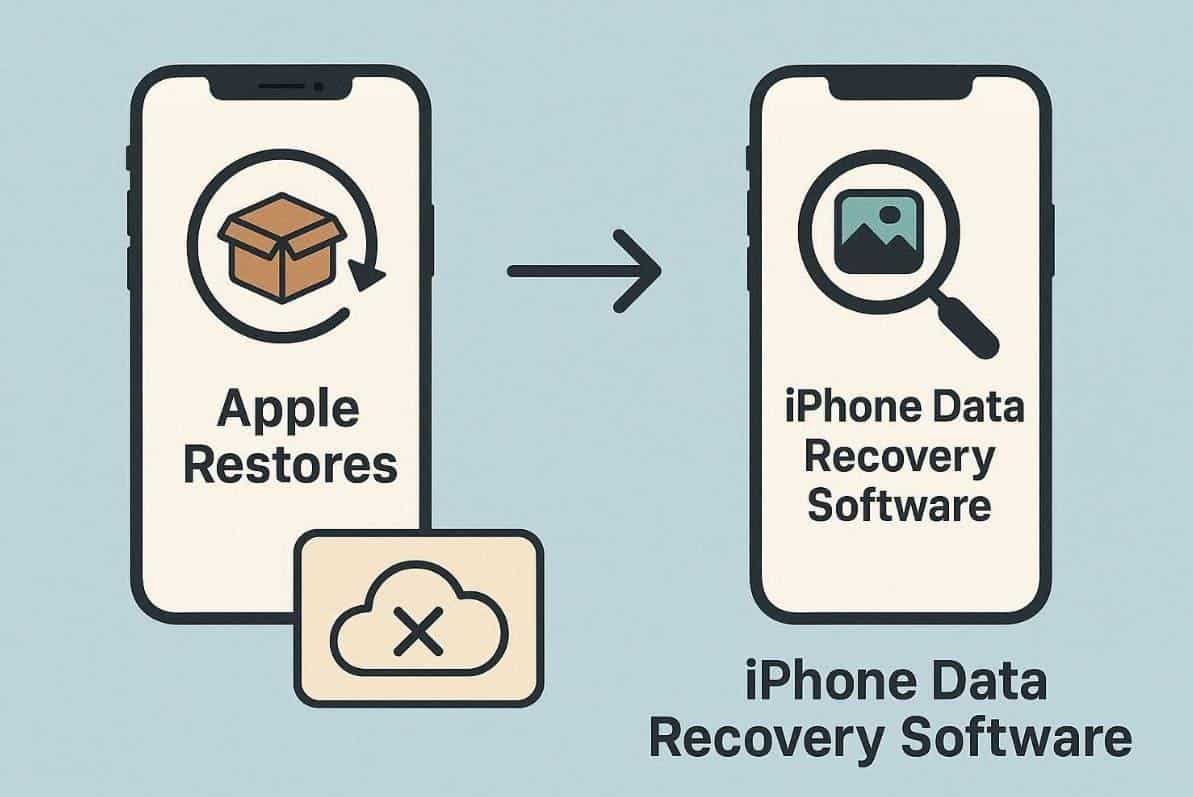
Unlike fixed Apple restores, such software can target specific file types or locations. Besides, users can preview recoverable content to ensure they only restore what’s needed. They also support recovery from scenarios like system crashes or failed updates. In many cases, it bridges the gap between full restores and complete data loss. Therefore, these recovery tools extend recovery possibilities where Apple’s options stop functioning.
Part 4. Dr.Fone Review: Best Features for Everyday iPhone Data Recovery
Data loss is confusing, particularly when valuable information is lost. That is the reason why it is important to rely on such tools as Dr.Fone – Data Recovery (iOS). This is an iOS recovery software with a non-overwriting recovery mode that is safe and guided. It offers a free scan and preview so users can see recoverable data without hassle. You can also restore data from backups without restarting your whole device.
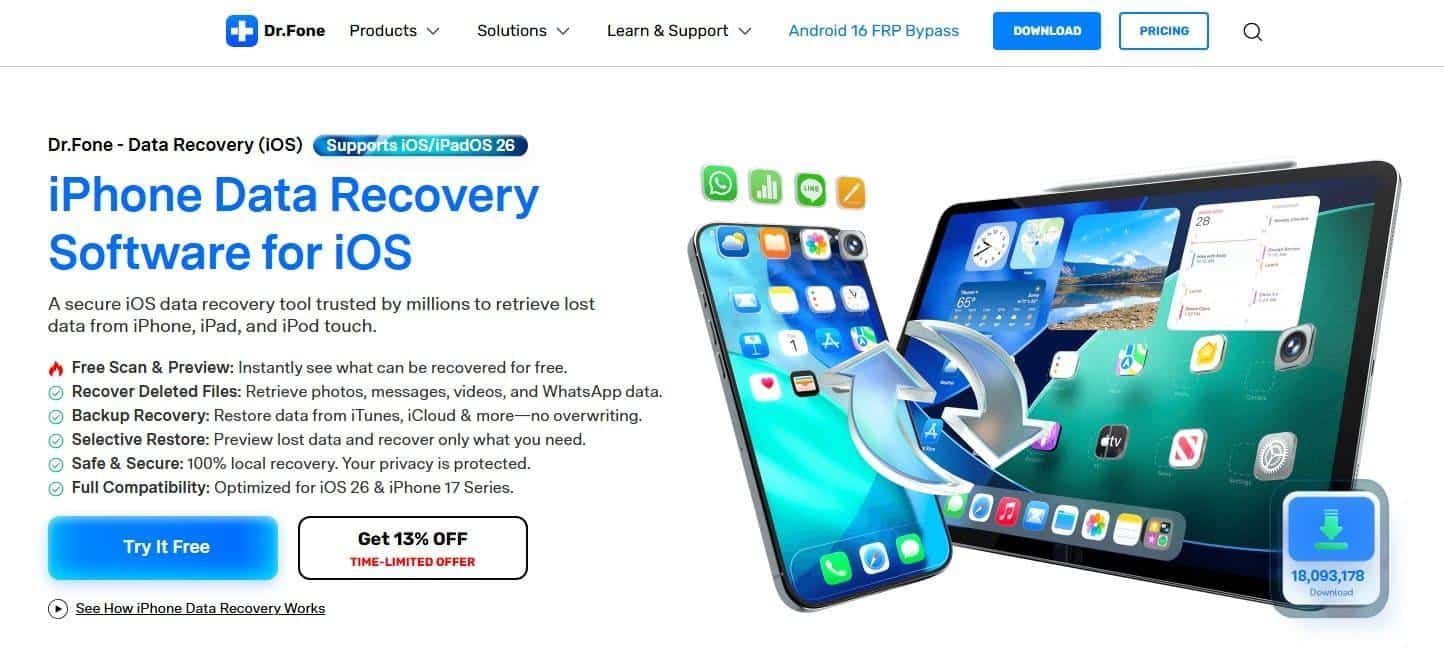
Furthermore, its smart recovery engine retrieves 35+ deleted data from your phone. Plus, Dr.Fone is even built for full compatibility with iOS 26 and the latest iPhone 17 Series. Even when your device is broken or disabled, it can still recover lost information. Users can also recover Apple iWork files like Pages and Keynote without effort. Thus, Dr.Fone helps bridge the gap when Apple’s restore cannot handle complex recovery situations.
Key Features
- Selective Recovery: Restore only specific files you need without affecting other device data.
- Local Processing: All recovery happens on your computer to keep data private and secure.
- iCloud Extract: Get data even from iCloud backups without erasing or resetting your phone.
Stepwise Guide to Use Dr.Fone for Recovering iPhone’s Deleted Data
You need to go through the steps below to use Dr.Fone data recovery software for recovering your important iPhone data:
Step 1. Open the iOS Data Recovery Feature
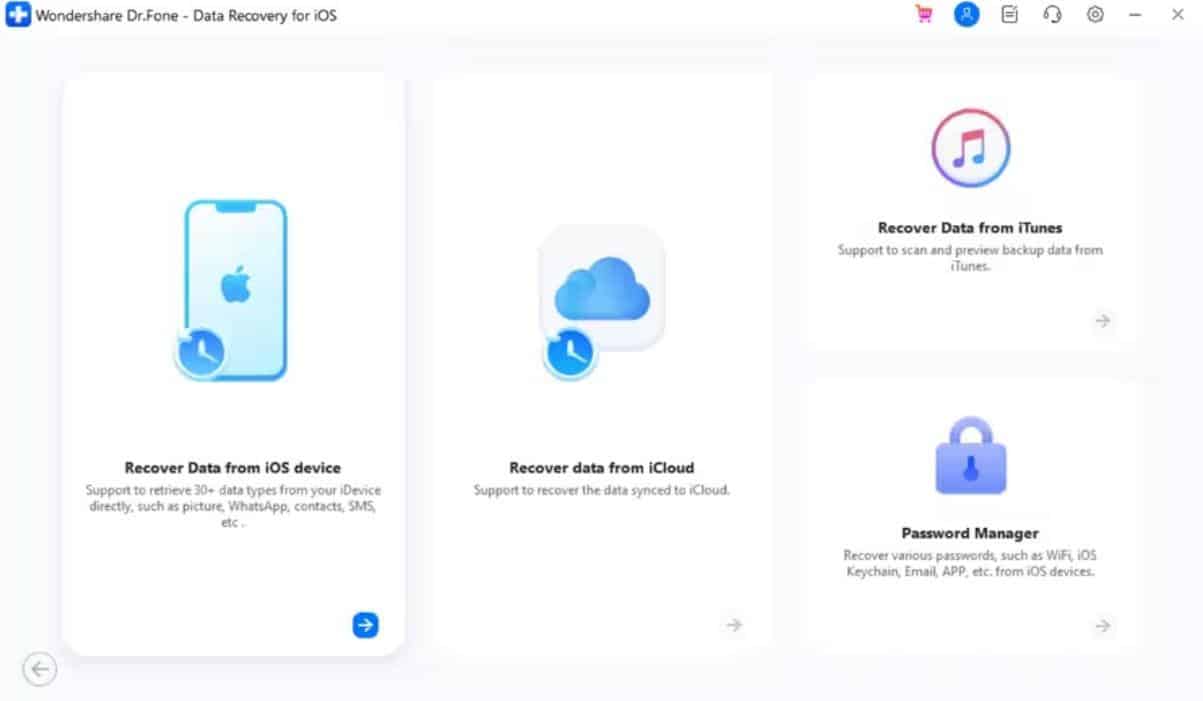
Navigate to the “Toolbox” tab in the program to select “Data Recovery” and choose “iOS.” Next, click “Recover Data from iOS Device” and connect your iPhone.
Step 2. Select the Data Type for Scanning
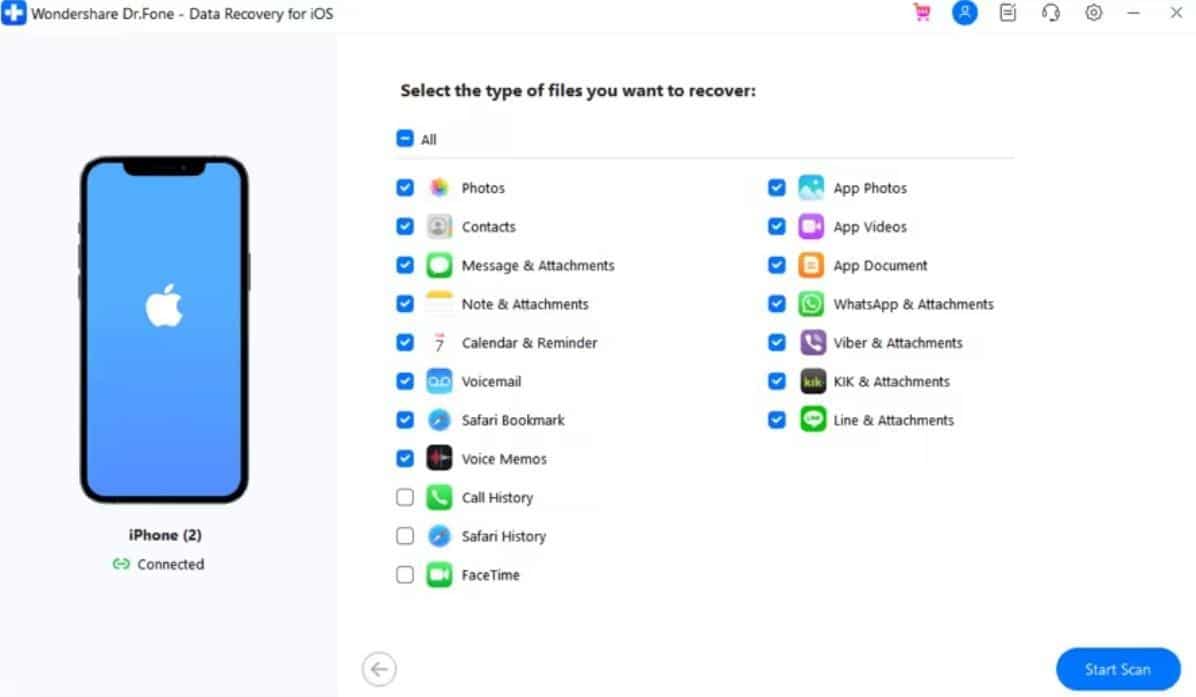
Once your iPhone is connected and detected by Dr.Fone, pick the data types for retrieving and press “Start Scan.”
Step 3. Restore Your Deleted Data Files
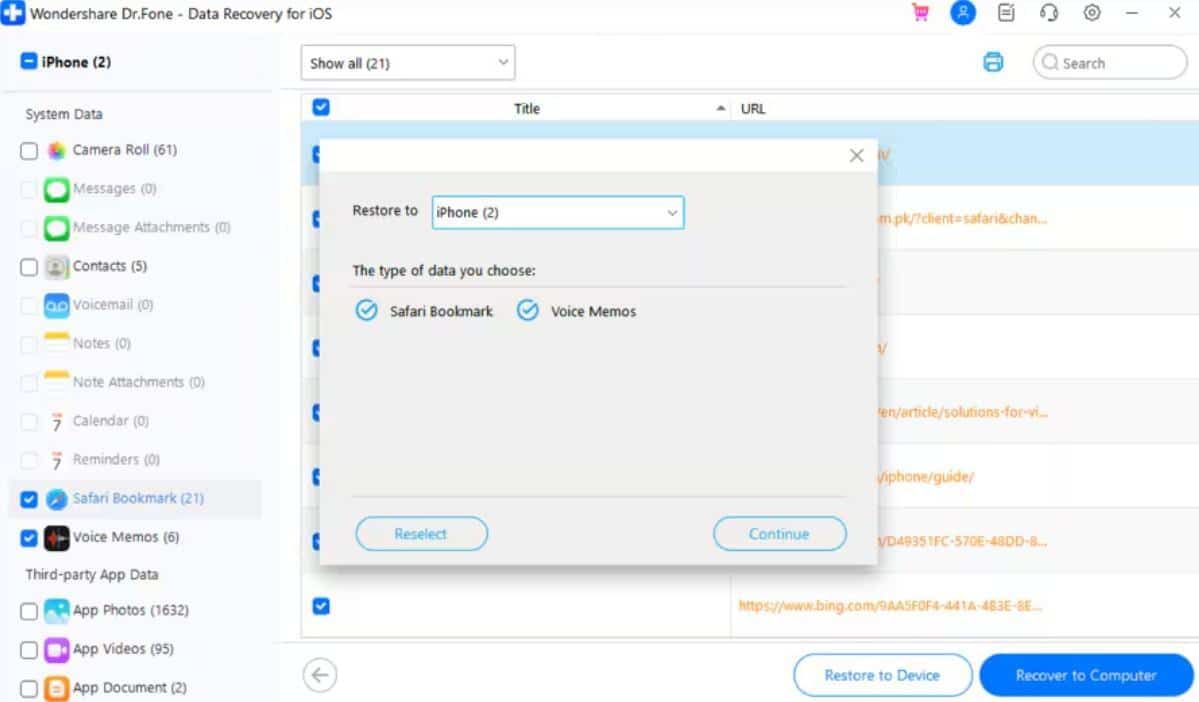
After scanning, preview the found data to select the desired ones and click “Restore to Device.” Upon seeing a new prompt, choose your desired location and click “Continue.”
Part 5. Should You Use Dr.Fone? Decision Guide for iPhone Recovery Needs
The type of recovery approach used is dependent on your circumstances. Restoring is useful, though not all the lost data may be retrieved. In such cases, third-party data recovery software for iPhone offers extra guidance. It helps users decide whether using a tool like Dr.Fone is necessary. The table below explains when employing recovery software makes sense:
Scenario | Recommendation | Reason / Benefit |
Backup Available | Use Apple Restore | Standard restores can recover most data quickly. |
Backup Missing | Use Dr.Fone | Recovery software can retrieve files not included in backups. |
Partial Data Loss | Use Dr.Fone | Allows selective recovery of specific files without overwriting others. |
Device Broken or Disabled | Use Dr.Fone | Recovers data even when the device cannot power on or operate normally. |
Messages or App Data Missing | Use Dr.Fone | Retrieves WhatsApp, iWork, and other app files not restored by Apple. |
System Crash or Failed Update | Use Dr.Fone | Handles corrupted data that standard restores cannot access. |
Conclusion
In summary, Apple restores help when you have good backups ready to use. However, many situations leave files unrecoverable through standard methods alone. Yet, Dr.Fone iPhone recovery software fills this gap by scanning deeper and recovering more data. It guides users simply through each step without technical knowledge. Thus, for complete safety and easy recovery, consider using Dr.Fone data recovery software.